Your Google Ads are working. So why are you running out of cash?
How a successful Google Ads campaign can leave your business short of cash.
Published October 2025. Last updated July 2026.
I'm spending around $100 per day but getting only 10–15 junk clicks.
That's a quote from someone on Reddit. They went on to explain...
... I'm tracking WhatsApp button clicks. So the thing is, some people (competitors, I guess) are clicking on ads and then the WhatsApp button but not sending a message, and Google thinks it's a good-quality audience. Yesterday I received 0 messages, but data shows there were 4 conversions, and for the past few days, I've been seeing this continuously...
Obviously, we want to pay to show ads to people who are likely to buy, not competitors, spammers, or bots. Here's one way of doing this. It's a three-step process.
Ad targeting includes things like:
Knowing this is important because it'll guide the decisions you make in the next step. Without it, you're like a doctor prescribing medicine sans a diagnosis.
Turning off targeting removes both fake and real clicks.
If search partners only brought fake clicks, you could disable it safely. If all clicks from midnight to 6 a.m. were fake, you could stop ads during that time without losing good leads.
But it's not always this simple. Some of your targeting gives a mix of legit and fake clicks. You'll need to decide if the real clicks are worth enough to pay for the fakes.
Conversion-based bidding strategies like Maximize Conversions or Target CPA can turn your ads into gold or into a stinking pile of garbage. Your result depends on what primary conversion actions you optimize for:
When you set a click on a WhatsApp button as a primary conversion action, Google thinks the click is important. It doesn't differentiate between a legitimate click and a fake click. It doesn't know that you care about what happens after the click. Targeting that produces fake clicks is cheaper, so Google will steer more of your ad spend there.
When you set WhatsApp messages received, qualified leads, or sales as your primary conversion action, Google thinks these are important to you. It'll steer more of your ad spend to targeting that produces legitimate leads and sales.
If this makes sense, we'll move on to actual implementation. If it doesn't, contact me and I'll try to make the article clearer.
This is a two-part problem:
Getting the right data from Google
You tell Google what data you want using a tracking template. I usually want to know which campaign, keyword and match type, network, location, etc., was responsible for both real and fake clicks. This account-level tracking template gives that data. Feel free to copy it.
{lpurl}?utm_term={keyword}&utm_source=google&location={loc_physical_ms}&utm_campaign={campaignid}&matchtype={matchtype}&network={network}&device={device}&placement={placement}&extensionId={extensionid}&targetId={targetid}
(More on tracking templates later in case you're not familiar with them.)
Link targeting data to WhatsApp button clicks
I do this using Convertista. It logs every click on a WhatsApp button, so we know exactly which ad targeting drove the click. Here's a screenshot as an example.
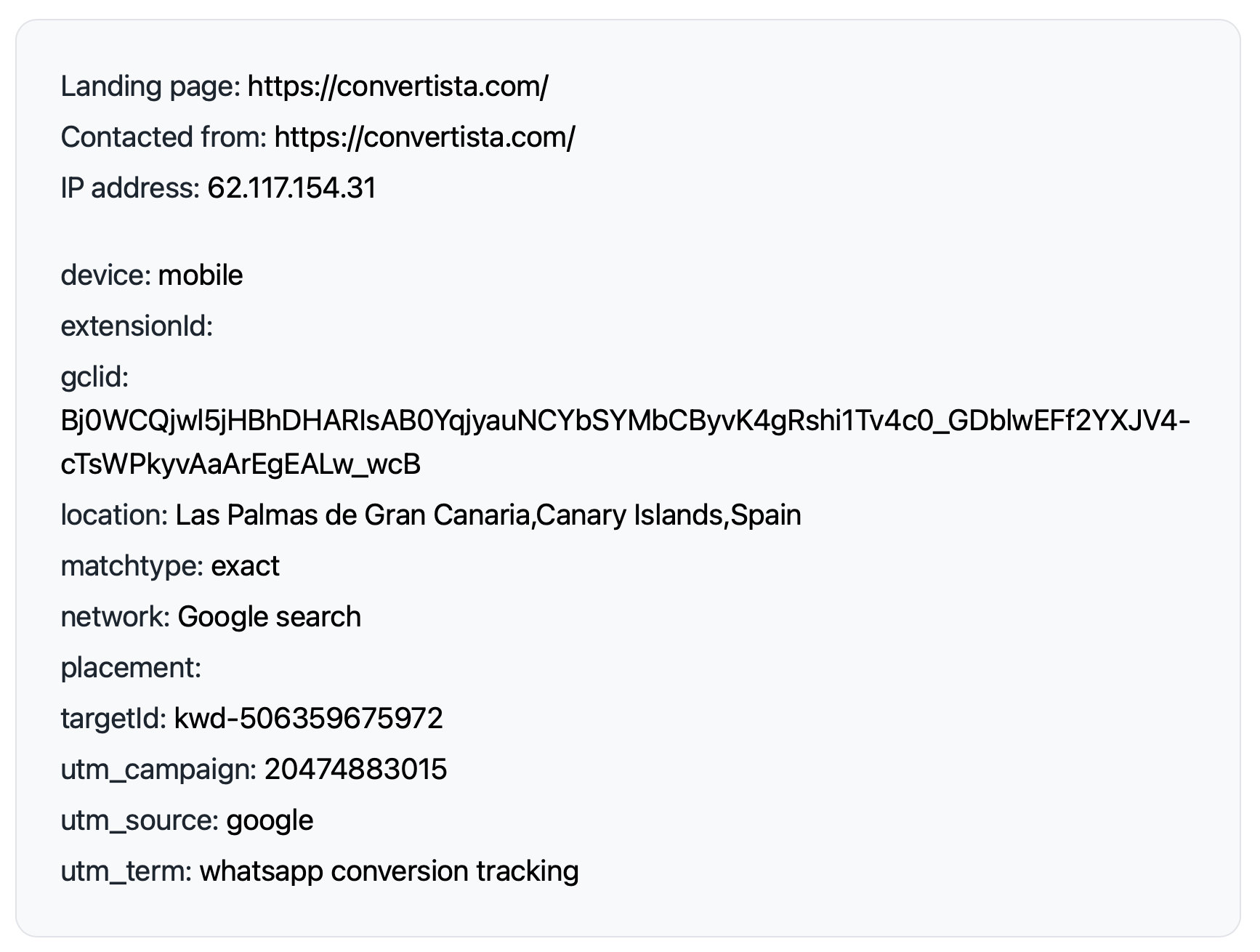
This click came from a Google search for the exact match keyword whatsapp conversion tracking. The searcher (me, in this case) was in Las Palmas. The other parameters show the campaign, keyword ID, and so on.
I'll also record which clicks turned into leads, qualified leads, and sales. That's what's in the screenshot below.
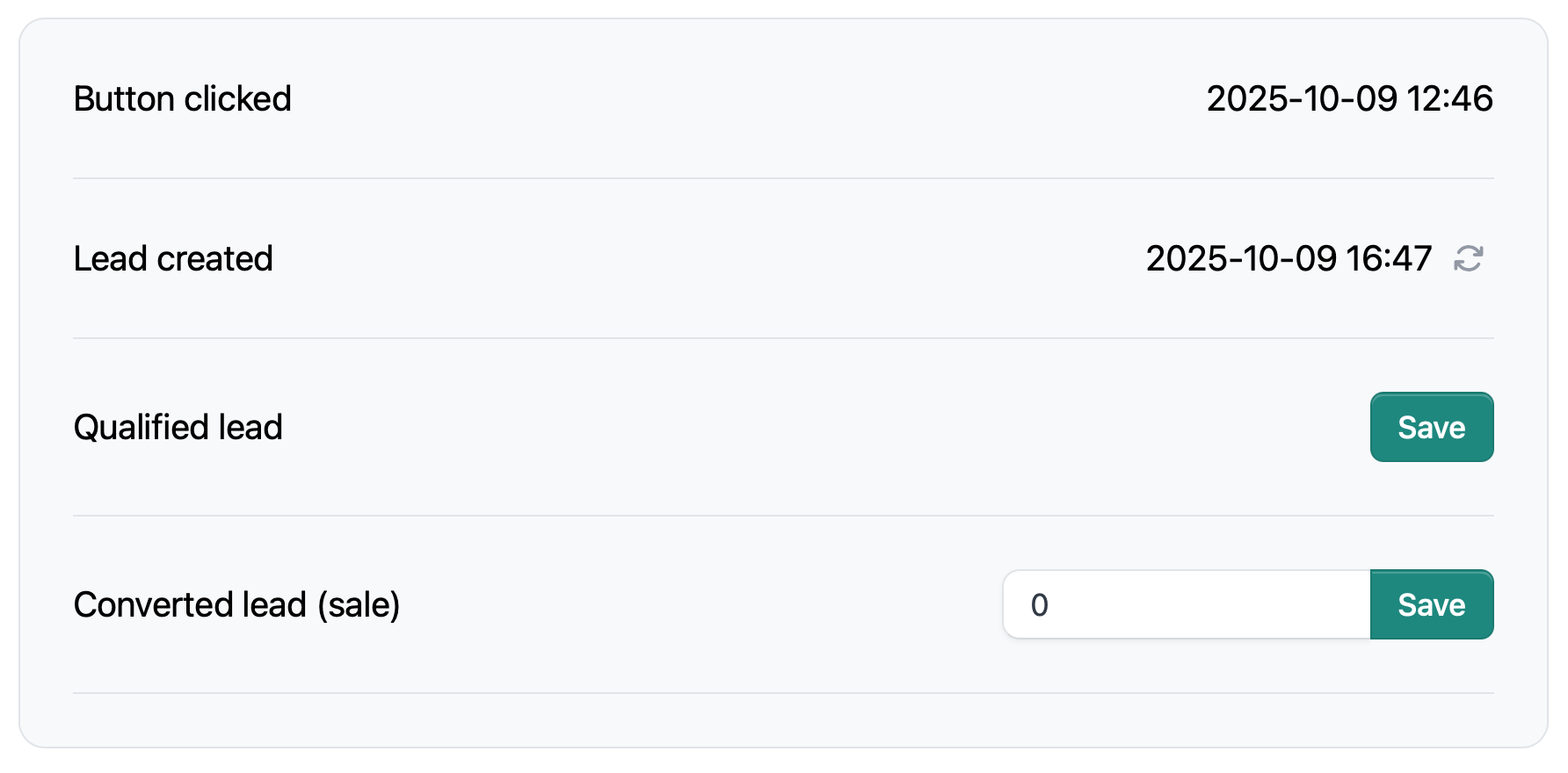
Once I've tracked enough clicks, it's time to analyze the data to find patterns—where I'm paying for clicks that aren't turning into leads. I do this by exporting a CSV and manipulating it in a spreadsheet.
Convertista does this automatically, but you could also do it with a manual CSV upload or wire something up with Zapier.
Either way, tracking post-click actions like messages received, qualified leads, or sales helps Google show your ads where those results are more likely.
Hope this is helpful. Yell with any questions.
Here's the tracking template again.
{lpurl}?utm_term={keyword}&utm_source=google&location={loc_physical_ms}&utm_campaign={campaignid}&matchtype={matchtype}&network={network}&device={device}&placement={placement}&extensionId={extensionid}&targetId={targetid}
Anything in curly brackets is a placeholder. It gets swapped out for real data. For example:
Google calls these placeholders value track parameters. Here's a list of available parameters.

How a successful Google Ads campaign can leave your business short of cash.
Two tricky targeting problems, a possible campaign strategy, and one important question: can we generate profitable leads?
Stop paying for searches you don’t want. Here are the five negative keyword lists I normally use when building Google Ads campaigns for service businesses.
A simple AI prompt to help block searches for places you don’t serve.
When Google matches the wrong search, your ad copy can stop the click. What happens when Google writes the ad to fit its mistake?
If nobody can help your leads, why keep paying for them? Here’s what I’ve seen after years of pausing and restarting clients’ Google Ads.
Thoughts and lessons on client selection, burnout, pricing, and modernising legacy accounts, from someone who's run a Google Ads for years.
Understand what happens after someone clicks your advert. Subjects include offline conversions, CRM integration, attribution, auditability and marketing instrumentation.
Articles about marketing, engineering, AI and problem solving that don't fit neatly into the other topics. These are some of the ideas and experiences that have shaped how I think.
How to choose the right Google Ads agency, set them up to succeed, judge their work fairly, and build a relationship that delivers better business results.
Learn how to use Google Ads to generate profitable leads. Subjects include campaign strategy, bidding, targeting, optimisation and the challenges of running lead generation campaigns.
Understand why some leads become customers while others don't. Subjects include diagnosing poor leads, qualification, filtering junk leads and improving the feedback you send to Google Ads.
Things I've learned about high-converting landing pages. Subjects include copywriting, page structure, forms, trust, conversion rate optimisation and user experience.
What happens after a lead has been generated determines if Google Ads is profitable. Subjects include first contact, follow-up, quoting, lead nurturing and turning more enquiries into customers.