Are you accidentally polluting your conversion data?
How to give Google Ads cleaner feedback about lead quality.
Published June 2026. Last updated July 2026.
Contact Form 7 is one of the most popular form plugins for WordPress. It's reliable, flexible, and free.
But, if you're running Google Ads, there is a problem.
Contact Form 7 can tell you that somebody submitted a form. It can't tell Google Ads if that person became a customer.
From Google's perspective anyone who fills in your form is a good lead, but that's obviously not true. Some are good and turn into customers, others are a waste of time.
Offline conversion tracking closes that gap.
Instead of measuring only the form submission, you can track what happens after the lead enters the business.
For example:
These events can then be uploaded back into Google Ads and used to improve campaign performance.
The process is straightforward.
The result is a feedback loop that connects advertising activity to business outcomes.
By default, Contact Form 7 sends form submissions by email. You don't need to change this.
But, we need a plugin like the popular CF7 to Webhook plugin.
The plugin sends a copy of each form submission to a webhook endpoint provided by Litiro.
After installing the CF7 to Webhook plugin:
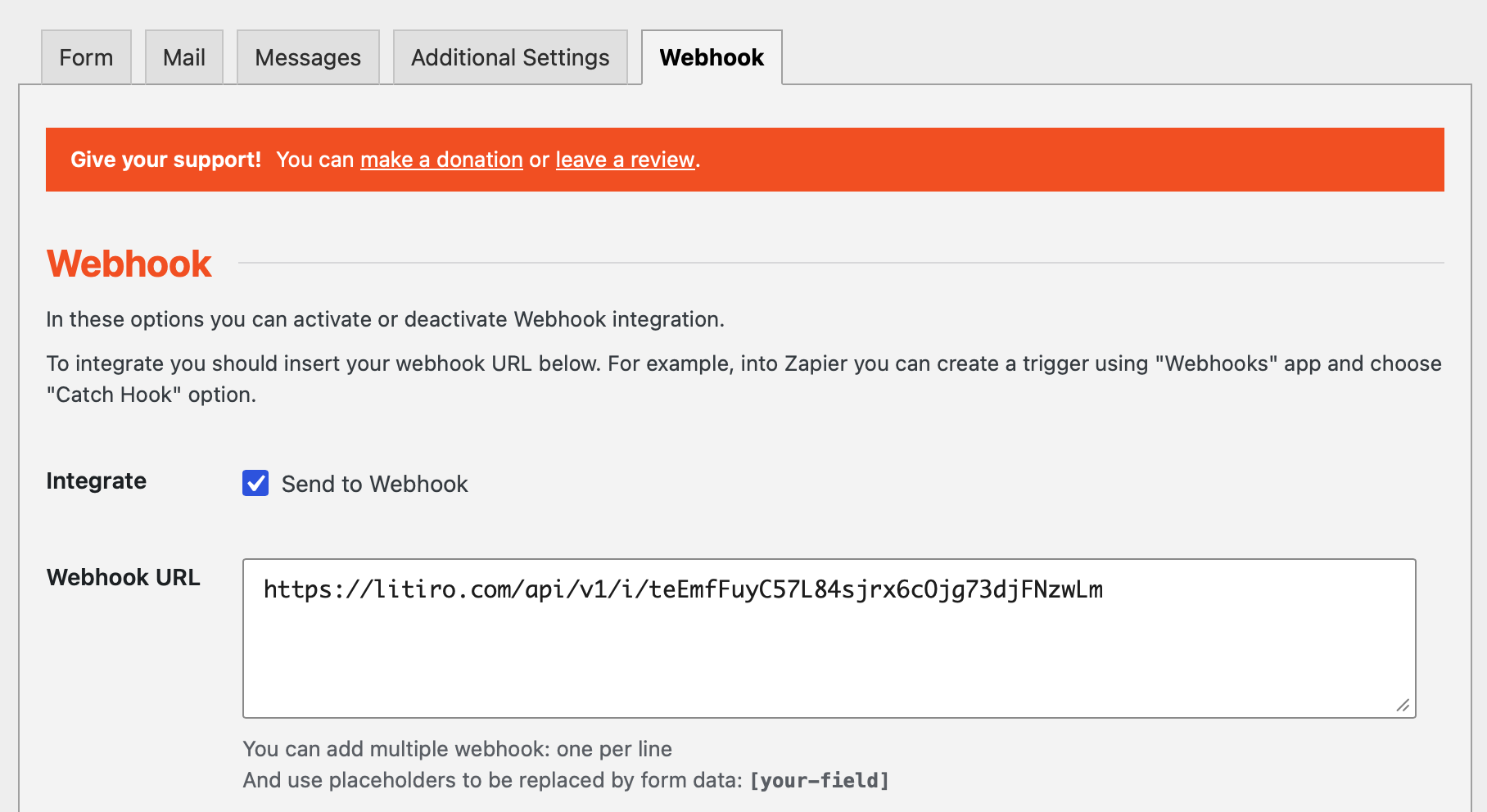
Once the webhook is active, every new enquiry is automatically sent to Litiro.
At this point, the lead has been captured. The next step is tracking what happens after the enquiry.
The most valuable information usually comes after the form submission.
Questions such as these are often more important than the original lead itself:
Litiro allows these outcomes to be recorded against the original lead. Either manually via a simple form in Litiro or automagically by connecting to the CRM or lead handling system.
Once lead outcomes are recorded, Litiro uploads to them Google automatically as offline conversions using Google's Data Manager.
This allows Google to learn which leads are creating value for the business.
Instead of optimising for anyone willing to fill in a form, Google can begin optimising for leads that are more likely to become customers.

How to give Google Ads cleaner feedback about lead quality.
I send conversion data more slowly in exchange for data that's permanent, auditable and recoverable.
Connect Pipedrive to Google Ads and fix the offline conversion gap automatically, in about 30 minutes.
Tag-based tracking only tells Google what the browser saw. Conversion tracking must be right, reliable and auditable.
Here's the complete guide to tracking WhatsApp conversions from click to sale.
Fluent Forms is a great way to capture leads from a WordPress website. But if you run Google Ads there is a gap in the system. Google can see the click and it can see the form submission. But it can't see what happens after the lead arrives. Here's how I helped a client close that gap.
Thoughts and lessons on client selection, burnout, pricing, and modernising legacy accounts, from someone who's run a Google Ads for years.
Understand what happens after someone clicks your advert. Subjects include offline conversions, CRM integration, attribution, auditability and marketing instrumentation.
Articles about marketing, engineering, AI and problem solving that don't fit neatly into the other topics. These are some of the ideas and experiences that have shaped how I think.
How to choose the right Google Ads agency, set them up to succeed, judge their work fairly, and build a relationship that delivers better business results.
Learn how to use Google Ads to generate profitable leads. Subjects include campaign strategy, bidding, targeting, optimisation and the challenges of running lead generation campaigns.
Understand why some leads become customers while others don't. Subjects include diagnosing poor leads, qualification, filtering junk leads and improving the feedback you send to Google Ads.
Things I've learned about high-converting landing pages. Subjects include copywriting, page structure, forms, trust, conversion rate optimisation and user experience.
What happens after a lead has been generated determines if Google Ads is profitable. Subjects include first contact, follow-up, quoting, lead nurturing and turning more enquiries into customers.
Join my free daily Google Ads clinic for business owners. Bring your questions and get practical advice.
Find out more →