Is Google Ads bringing in paying patients?
You can measure profitability and improve your ads without telling Google who became a patient.
Published October 2024. Last updated August 2026.
I took over a Google Ads account for a tiny business that wants only B2B leads. They'd been advertising for a while but were getting mostly B2C leads, requests for free help and spam.
Every now and again they'd get a B2B diamond which kept their hopes up, but nobody can build a business without a reliable source of leads. We had to make this work.
Read on and I'll tell you what we did to get a consistent flow of B2B leads.
Some people tackle spam leads by putting CAPTCHA on enquiry forms but I think that's wrong. You've already paid Google for the click by the time the spam lead tries to fill in the form. It's better to figure out where the spam is coming from and stop advertising there. That saves your ad budget for legitimate leads.
In this case, the spam was coming from the search partner network. Disabling search partners killed the flow of spam leads. But, it didn't do anything for people wanting free help, and the useless B2C enquiries.
A lot of the ad budget was being blown on informational searches like 'how do I ...', 'how to...', '... tutorial' and so on because the account used phrase match keywords. That was good practice in 2019, but today that leads to paying for clicks from people who don't want to buy.
I built a new campaign using about 160 high-intent exact match keywords. High-intent keywords suggest that the searcher is looking to pay for a solution as opposed to looking for free information. Clicks from these searches are more likely to turn into valuable leads.
Changing to high-intent exact match keywords improved the lead quality. We got fewer people asking for free help and more people actually wanting to buy. But it didn't fix the B2B problem. More than half of the enquiries from my new campaign were B2C leads.
Google Ads doesn't have a B2B only setting, but there is a way to tell Google which leads are a good fit. In time Google will learn what makes a good lead for your business and deliver more.
But, a lot of smaller businesses don't take advantage of this because it can be tricky to set up. It's vital. Businesses that don't use this feature pay for leads they can't ever sell to.
Here's how it works...
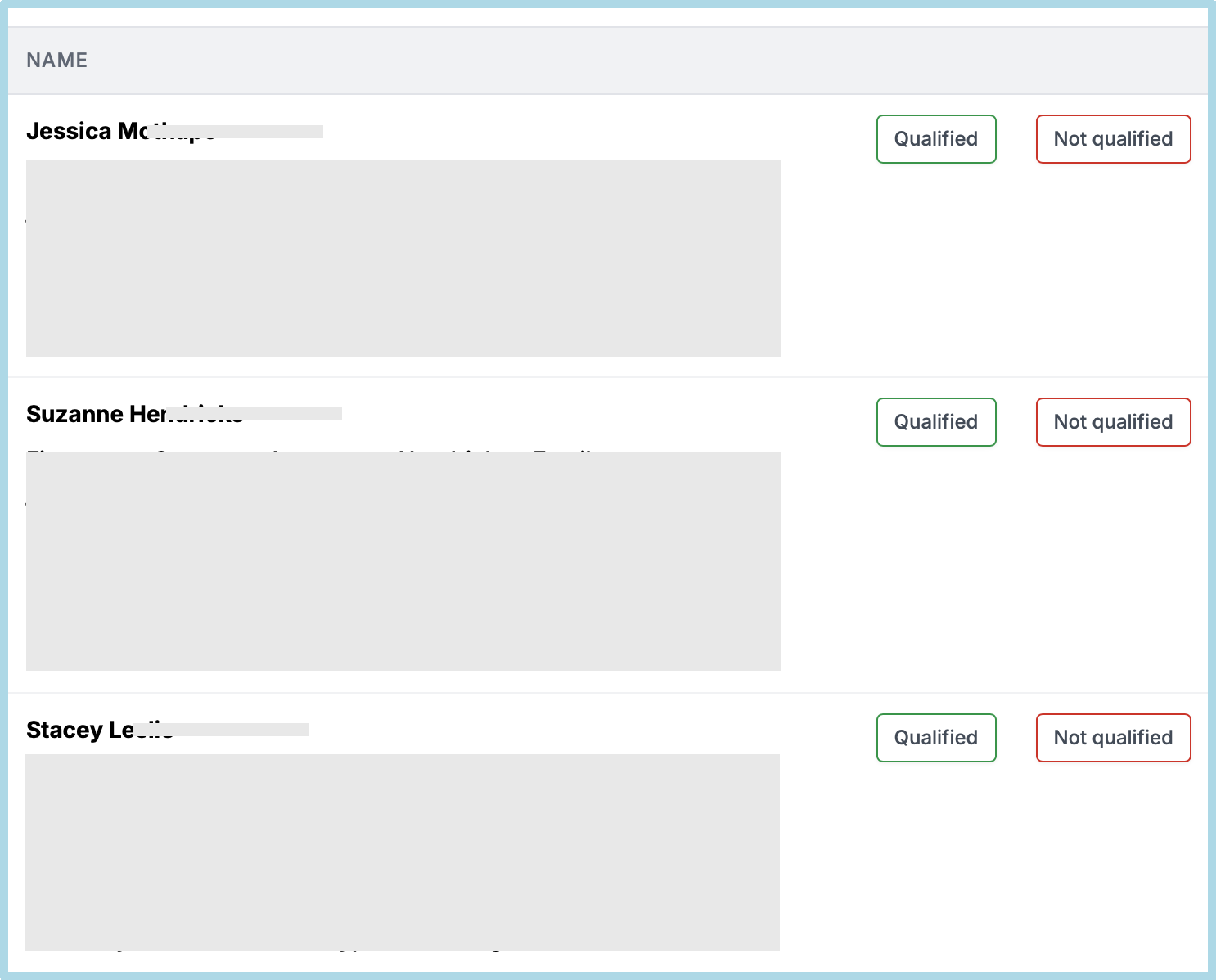
I give all my clients a lead management system. The system has a button to mark a lead as qualified (i.e. good fit) or not qualified. This is tied into Google Ads. Screenshot below.
Aside: if the way I write resonates with you I'd like to give you a free copy of my book Profitable Google Ads. You can download it here.
For the first 6 weeks of a new campaign I don't ask Google to try and get more qualified leads. That's because it takes a while for my clients to get into the habit of marking the leads qualified or not, and because we need some time to build up data in the Google Ads account.
After that, if we've had enough qualified leads I'll ask Google to focus on these. (In technical terms, we change the qualified lead conversion action from secondary to primary.)
The table below shows the results from August when we were gathering data and September when we were optimising for qualified leads.
| Month | Cost | Leads | Qualified leads | Cost per qualified lead |
|---|---|---|---|---|
| August | $2 870.17 | 59 | 28 | $102.51 |
| September | $1 546.30 | 27 | 20 | $77.32 |
The cost per qualifed lead went down by about 25% from $102.51 to $ 77.32. which is very nice.
But, the number of qualified leads went down from 28 to 20. This isn't good. It happened because I'd hoped we'd be able to get qualified leads at the same cost per lead as unqualified. I left the target CPA at $55. Turns out that I was a bit optimistic.
I've since increased the Target CPA to $80 and we're seeing more qualified leads.

You can measure profitability and improve your ads without telling Google who became a patient.
Before you spend more to train Google Ads, find out why the wrong people are clicking.
Calls from ad assets, calls from landing page and calls from LSAs often produce different quality leads.
These days optimising Google Ads for raw leads - someone filling in a form or calling - eventually fills your inbox with the kind of leads nobody wants. Spam, wrong numbers and so on. Most agencies know this by now. They also know the solution: upload qualified leads as offline conversions. The real problem is getting clients to tell us which leads are qualified.
I helped with two struggling Google Ads accounts. The problems had different symptoms, but the root cause was the same.
If you don't know exactly why a lead is unqualified, you risk fixing the wrong problem.
Thoughts and lessons on client selection, burnout, pricing, and modernising legacy accounts, from someone who's run a Google Ads for years.
Understand what happens after someone clicks your advert. Subjects include offline conversions, CRM integration, attribution, auditability and marketing instrumentation.
Articles about marketing, engineering, AI and problem solving that don't fit neatly into the other topics. These are some of the ideas and experiences that have shaped how I think.
How to choose the right Google Ads agency, set them up to succeed, judge their work fairly, and build a relationship that delivers better business results.
Learn how to use Google Ads to generate profitable leads. Subjects include campaign strategy, bidding, targeting, optimisation and the challenges of running lead generation campaigns.
Understand why some leads become customers while others don't. Subjects include diagnosing poor leads, qualification, filtering junk leads and improving the feedback you send to Google Ads.
Things I've learned about high-converting landing pages. Subjects include copywriting, page structure, forms, trust, conversion rate optimisation and user experience.
What happens after a lead has been generated determines if Google Ads is profitable. Subjects include first contact, follow-up, quoting, lead nurturing and turning more enquiries into customers.